Private personal finance for macOS
Your whole financial life — private, on your Mac.
Net worth, spending, income, investments and options — read-only and stored on your own machine. No cloud account, no data resale.
macOS (Apple Silicon) · free 14-day trial, no card · your data never leaves your Mac
Net worth, tracked
Every account — cards, banks, brokerages — rolled into one net-worth curve with daily snapshots.
Spending & budgets
Auto-categorized transactions, monthly budgets, and anomaly alerts for spikes and price creep.
Investments
Holdings, cost basis, dividends, benchmark comparison, and reconstructed value history.
Options desk
Per-ticker chains, the volatility smile, IV term structure, dealer gamma, and a 3D IV surface.
Tax lots & realized gains
FIFO/LIFO/Spec-ID cost basis, wash-sale flags, and Section 1256 60/40 — export-ready.
Yours alone
Runs locally with your own keys. No budgetr account, no server holding your finances.
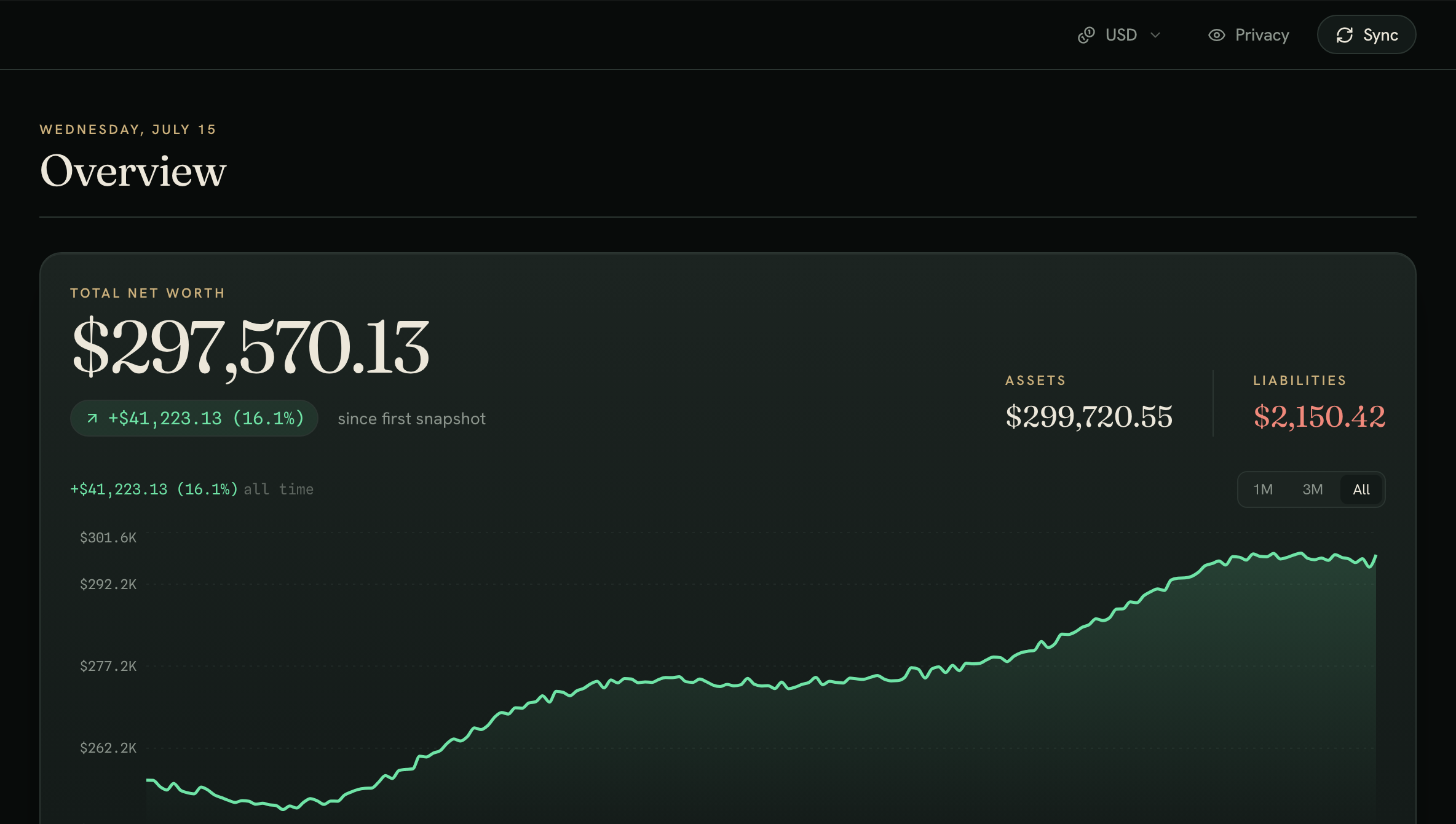
Screens shown with sample data.
Private by design
No cloud account. No data resale.
budgetr runs entirely on your Mac. It talks to your bank through your own Plaid keys and stores everything in a local database — encrypted secrets included. There's no budgetr server holding your finances, because there is no budgetr server.
- Local SQLite database on your machine
- Your own Plaid + Finnhub keys, encrypted at rest
- Read-only — budgetr never moves money
- Open pricing, one-time purchase
A closer look
One private ledger for all of it
Net worth, spending, investments, options, and taxes — every screen runs locally on your Mac.
Try the live demo — no download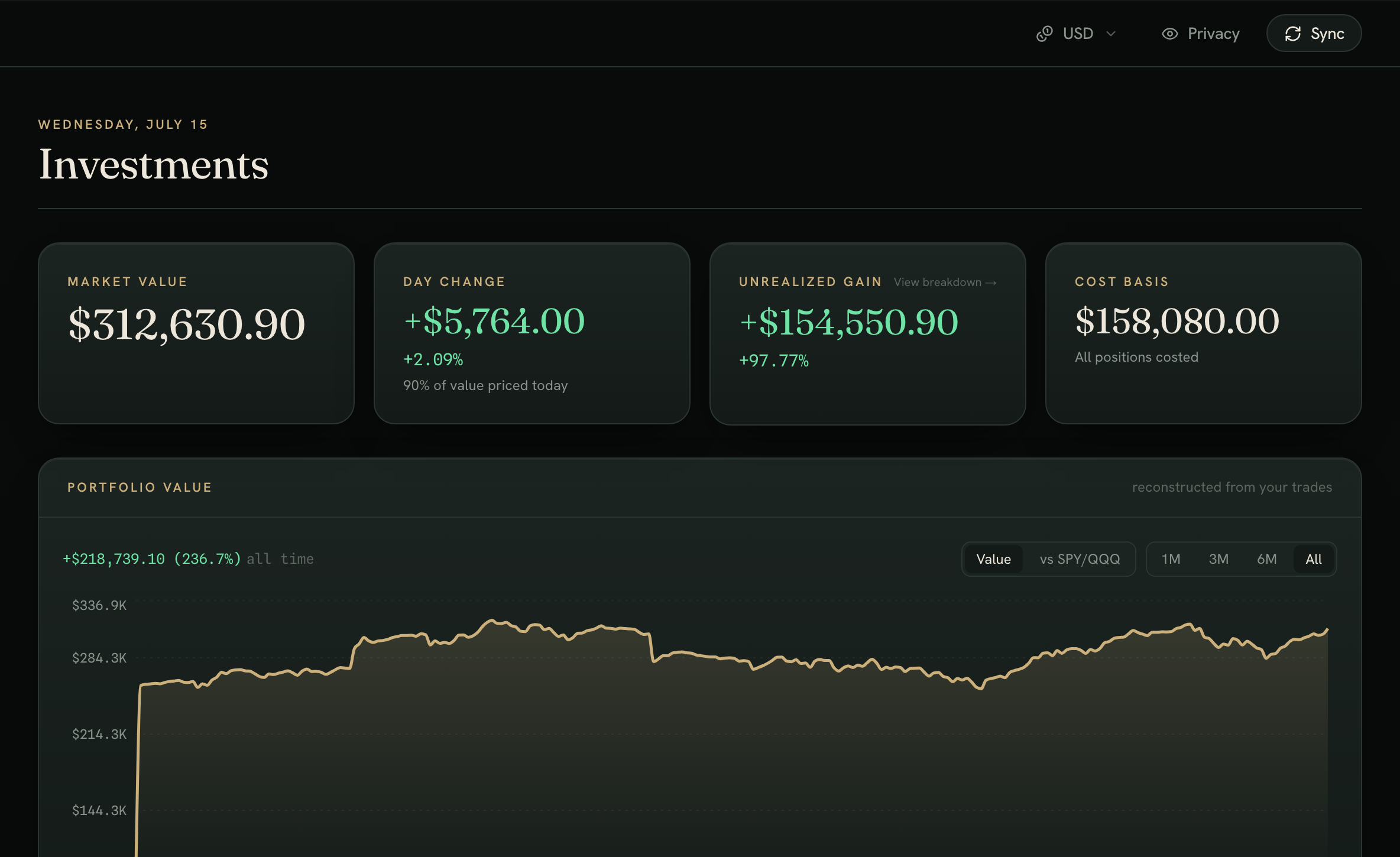
Investments
Every position, reconstructed
Market value, day change, unrealized gain, and cost basis at a glance — with a portfolio curve rebuilt from your trades and a return-vs-SPY/QQQ benchmark table.
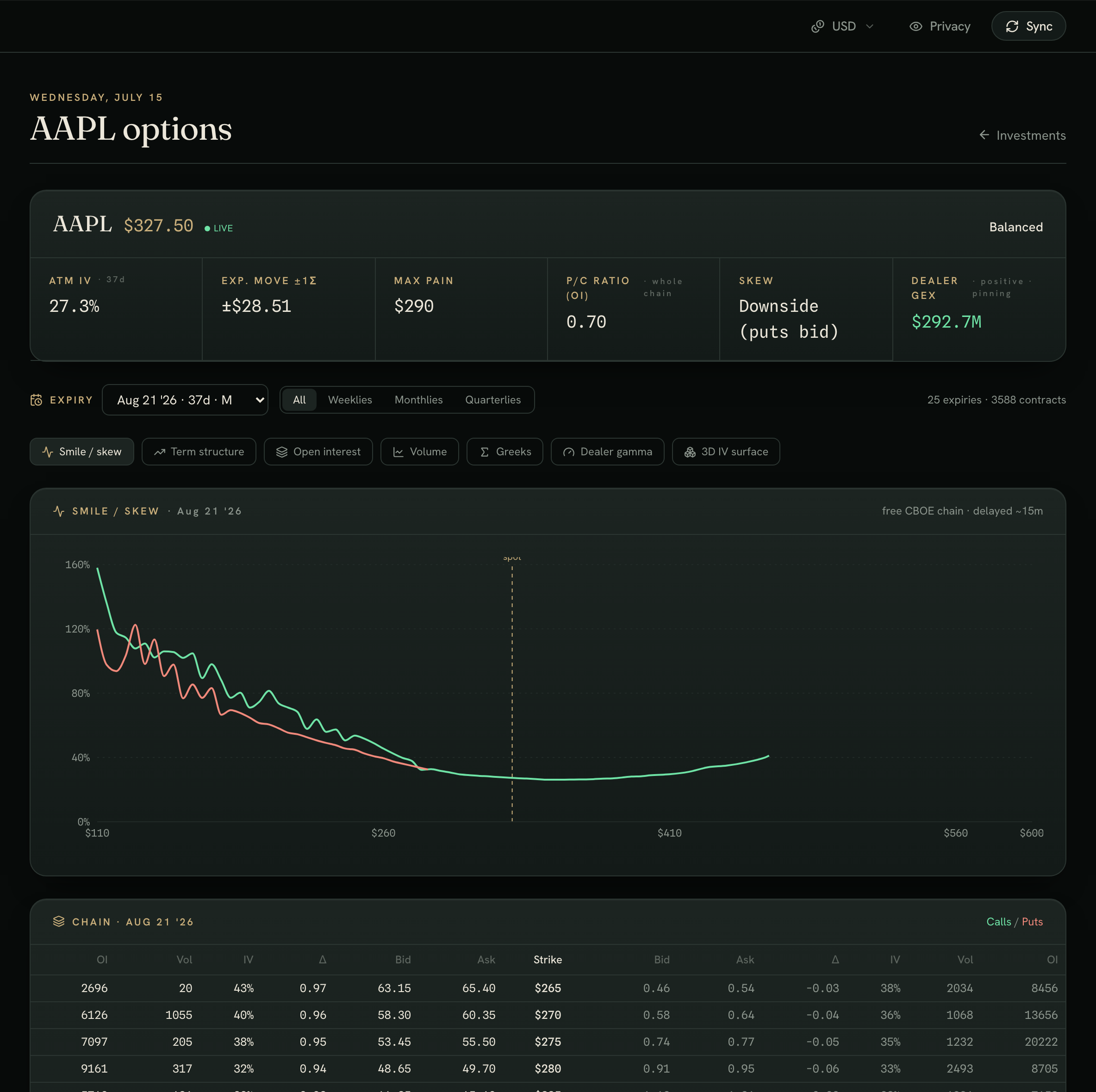
Options desk
A trading desk, built in
Per-ticker chains with the volatility smile, term structure, dealer gamma, and a drag-to-rotate 3D IV surface — priced off the free CBOE chain, no extra data feed.
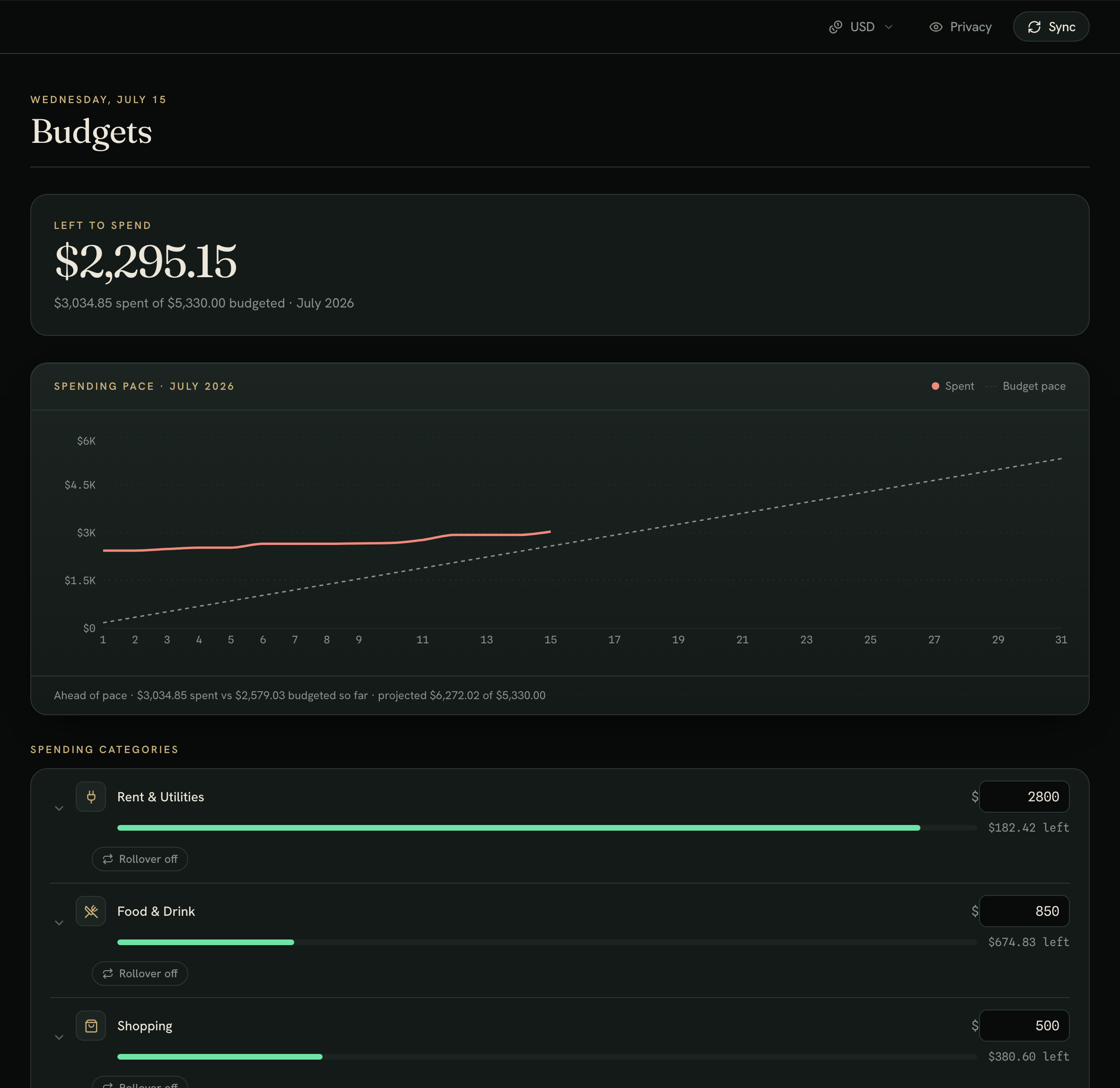
Budgets
Budgets that keep pace
See what's left to spend, whether you're ahead of pace for the month, and a projected month-end total — with per-category limits and rollover.
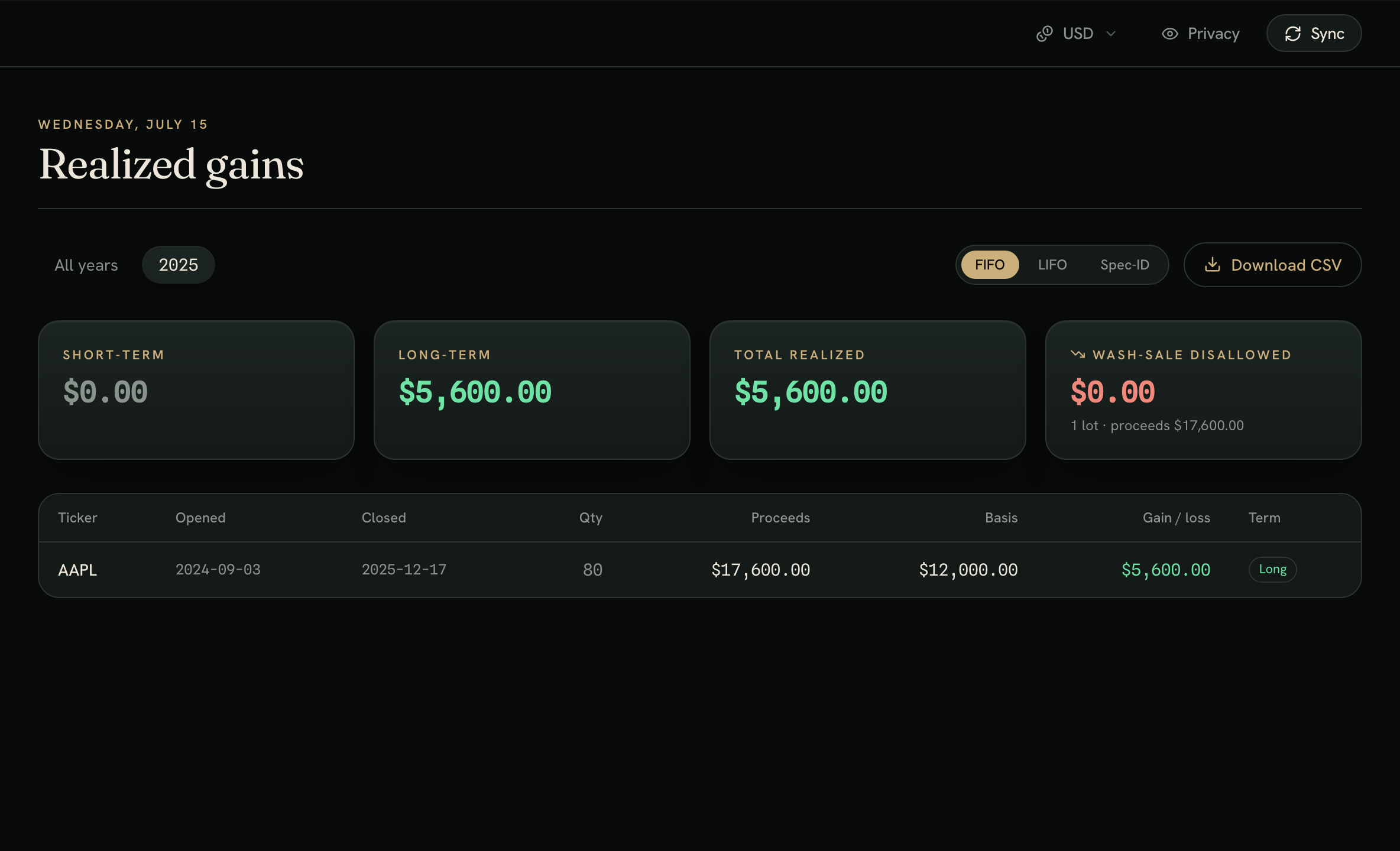
Tax lots
Realized gains, done right
FIFO, LIFO, or Spec-ID cost basis with short/long-term splits and wash-sale flags — export-ready CSV when it's time to file.
All figures above are fabricated sample data — budgetr keeps your real accounts on your machine.
Up and running in minutes
Bring your own Plaid keys
A guided setup walks you through it the first time you open the app.
Create a Plaid account
Free at dashboard.plaid.com — copy your client ID and a secret.
Paste your keys
budgetr verifies them and stores them encrypted, on your Mac.
Connect & sync
Link a bank through Plaid and your dashboard fills in.
Ready when you are
Own it for $29
Run it free for 14 days on your own accounts. If you keep it, it's a one-time purchase — every feature, free updates, and your data never leaves your Mac.